


Crossword Go!
4.93.46K Reviews
App Specs
- Version
- 1.84.0
- Updated On
- License
- Free
- Downloads
- 1,000,000+
- Developer
- PlaySimple Games
- Categories
- Word
- Platform
- Android
Screenshots
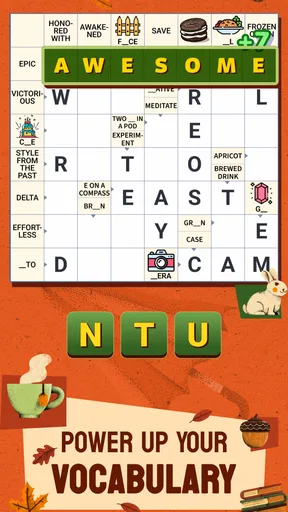
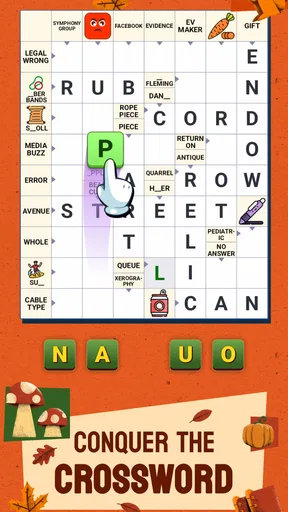
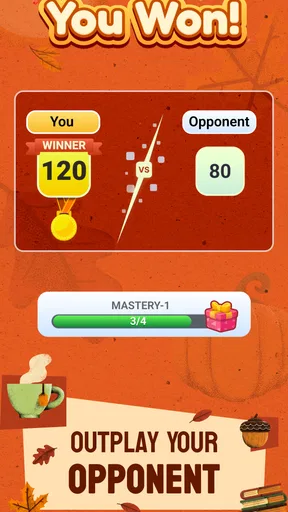
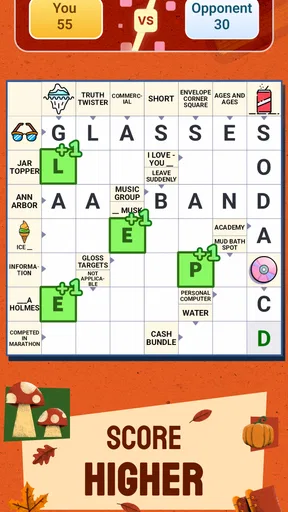
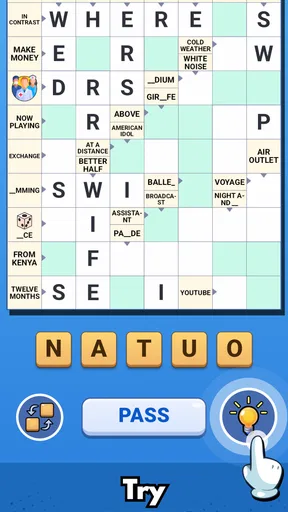
 Analysis by AppCompare
If you're like me and can't resist a good mental workout, then you're in for a treat with Crossword Go! This app takes the classic crossword puzzle experience and gives it a fresh, mobile twist. I dove into this app and let me tell you, it’s been quite the brain-teaser journey!
What the first puzzles ask of you
The appeal of a crossword is that you can begin with a small goal: solve one clue, then use its letters to make the next one easier. That step-by-step rhythm is what I look for when I want a quick word game rather than a long session. In a normal day, I might open a puzzle while waiting for a kettle to boil, fill in the clues I know, and leave the stubborn ones for later. It gives a short break a clear shape without requiring me to set aside an entire evening.
Crossword Go! is a word game from PlaySimple Games, and its basic promise is a familiar one: use clues and crossing letters to work through a puzzle. It is free to download, with in-app purchases priced from $0.99 to $49.99 per item. That makes it easy to try, but I would treat optional spending as a personal choice rather than a requirement for enjoying crosswords. If you prefer games with no purchase options at all, that difference may matter to you.
Getting Into the Game
Right off the bat, Crossword Go! welcomes you with a sleek and user-friendly interface. It's intuitive enough that even if you're a newbie to crosswords, you won't feel lost. The app offers a variety of puzzles ranging from simple to brain-bending, ensuring there's something for everyone. I personally love how you can choose from different themes, which keeps things fresh and exciting.
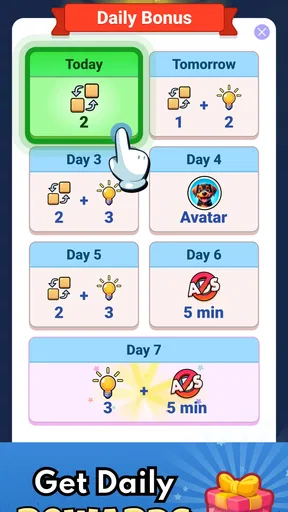
Setting up is a breeze. You can either jump right into a quick game or take your time with a more challenging puzzle. The app also offers daily challenges, perfect for those who want to make crosswords a part of their daily routine. I found the daily puzzles a fun way to keep my mind sharp every morning.
How progress feels over a session
The most useful progress signal in a crossword is often not a score but the moment a crossing letter turns a vague clue into a solvable one. I recommend starting with the clues that come quickly instead of getting fixed on the first blank. A few confident answers can reveal useful letters elsewhere, and that makes the puzzle feel less like a wall and more like a series of small decisions. This is also a good way to judge whether a puzzle is a comfortable fit for the time you have.
Daily challenges suit players who like a small repeatable target; a broader selection is better when you want to choose your own pace. I wouldn’t assume that every session needs to end with every square filled. If I have only a couple of minutes, I can still make progress by solving a section and stopping when I need to. The trade-off is that a crossword may not give the instant closure of a very short word-search round: a tricky clue can remain unresolved until I return with a fresher mind.
Worth Reading Before You Choose

Flipboard Shows What News Apps Must Do Beyond the Feed

Switching to Android Auto Means Rethinking Your Driving Routine

Google Calendar Makes a Crowded Week Easier to Manage

Ludo King Makes the Most of the Minutes Between Plans

Baby Panda World Brings Quick Play to Modern Phones, but Its Game Library Feels Busy

ESPN’s Live Game View Makes Following Close Games Easier
Features That Stand Out
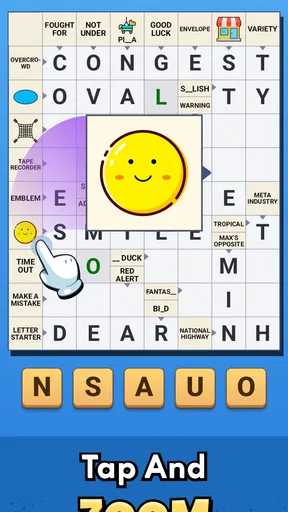
One of the standout features of the app is its hint system. Sometimes you just get stuck on a word, and a little nudge is all you need. The hints can be a lifesaver, especially in those tougher puzzles. And don't worry, they’re not too revealing, just enough to get you back on track.
Another cool feature is the multiplayer mode. You can challenge friends or random players to a crossword duel. It’s a great way to add a competitive edge to your experience. I’ve had a blast challenging my friends and seeing who can finish the puzzle first.
When a clue stops the flow
A hint is most valuable when I have already tried the crossings and can identify the exact point where I’m stuck. Used that way, it helps me continue without taking away the satisfaction of solving the rest myself. I’d avoid tapping for help immediately on every uncertain answer: giving a clue another moment, or working on a neighboring entry, can turn the puzzle into a better vocabulary exercise. The trade-off is that a hint can make a session feel less self-solved if I rely on it too often.
The multiplayer option changes the mood more than the puzzle format. A duel gives me a reason to pay attention to speed as well as accuracy, which is fun with friends who enjoy a little rivalry. If I’m playing to unwind, though, I’d choose a solo puzzle; racing can make careful thinking feel like a disadvantage. Players looking for a deep competitive ladder or extensive team features should not assume a crossword duel will provide that kind of long-term structure.
The app also includes a dictionary feature, which is super handy for learning new words. I can’t tell you how many times I’ve come across a word I didn’t know, and this feature has helped expand my vocabulary significantly.
Choosing the right way to play
The dictionary is especially useful after I have made a guess and want to understand the word rather than simply move on. My practical habit is to finish a clue first, then look up an unfamiliar term; that keeps solving and learning connected without interrupting every few seconds. It is a small workflow change, but it helps the puzzle stay a game instead of becoming a string of dictionary searches.
Compared with word searches, anagrams, or very fast word-matching games, a crossword asks for more interpretation: clues and crossing letters work together, and sometimes the answer depends on knowing a word or phrase. That extra thought is the reward if you enjoy language, but it can also make the game a poor fit when you want something purely reflexive or entirely predictable. If you prefer open-ended vocabulary practice, a dedicated word-learning tool may be more suitable; if you want a structured puzzle with a clear finish, this format makes more sense.
Who will enjoy the pacing
I’d recommend this game to casual crossword fans, people returning to word puzzles, and anyone who likes a daily mental routine that can be paused between other tasks. Its Everyone age rating makes it broadly approachable, while the range from simpler to more demanding puzzles gives different comfort levels a place to start. The game has an average rating of 4.9 from around 22,000 ratings, with over 500,000 installs, so it has attracted a substantial audience; those figures are a useful signal of reach, not a guarantee that its style will suit every player.
It is less compelling if you dislike clue-based wordplay, find unresolved questions frustrating, or want a game whose progress depends on elaborate unlock systems and a tightly plotted campaign. The satisfying loop here is solving and choosing another puzzle, not chasing a story. I also wouldn’t pick it as my first choice for a noisy commute if I need a game that works well with only a few seconds of attention; crossword clues reward a little concentration, even when a session is short.
Practical details before you settle in
The game is free, though individual in-app purchases range from $0.99 to $49.99. I’d start without spending and decide later whether any optional purchase genuinely improves the way I play. The current version is 1.42.0, it was released on Apr 16, 2025, and it requires Android 8.0 or later. Those details make it easier to check device compatibility before installing. Its Everyone rating is another sign that it is intended for a broad audience, including families who want a word game rather than an action-heavy experience.
One common question is whether I need to be an expert to begin: no, the easier puzzles make the format approachable, and crossing letters give newcomers a way to work things out. Another is whether I can play socially; the described duel mode lets me challenge friends or random players, while solo puzzles remain the more relaxed option. If I get stuck, hints are available, and the dictionary can help me make sense of unfamiliar vocabulary. For someone deciding between this and a generic crossword app, those social and learning touches are the main reasons I’d give this particular one a try.
Final Thoughts
In conclusion, Crossword Go! is a must-have for any crossword enthusiast. Whether you're a casual player or a crossword veteran, this app offers a delightful experience that is both challenging and engaging. The variety of puzzles and the social elements add layers of fun that keep you coming back for more.
So, if you're ready to give your brain a workout and have some fun along the way, download Crossword Go! and start solving! Trust me, once you start, it’s hard to stop. Happy puzzling!
Pros
- Intuitive interface for easy navigation.
- Wide variety of crossword puzzles.
- Offline play mode available.
- Daily challenges keep users engaged.
- Hints system helps beginners.
Cons
- Limited free puzzles without subscription.
- Ads can be intrusive at times.
- Occasional glitches on older devices.
- Requires internet for updates.
- In-app purchases can be pricey.
FAQs for Crossword Go!
What is Crossword Go! and how does it work?
Crossword Go! is an engaging puzzle app designed to challenge your vocabulary and problem-solving skills. It features a variety of crossword puzzles ranging from easy to difficult levels. Players can select puzzles based on their skill level and use hints if they get stuck. The game tracks your progress and offers daily challenges to keep you engaged.
Is Crossword Go! free to download and play?
Yes, Crossword Go! is free to download on both Android and iOS platforms. While the app offers a substantial collection of free puzzles, there are in-app purchases available. These purchases allow you to access premium puzzles, remove ads, and buy additional hints, enhancing your overall experience.
Can I play Crossword Go! offline?
Crossword Go! can be played offline, making it a perfect companion for commutes or when you're away from a Wi-Fi connection. However, you will need an internet connection to download new puzzles, access premium content, and participate in daily challenges.
Are there any social features in Crossword Go!?
Yes, Crossword Go! includes several social features to enhance your experience. You can connect with friends, compete on leaderboards, and share your achievements on social media. Additionally, you can challenge friends to beat your scores, adding a competitive element to the game.
Does Crossword Go! offer any language support other than English?
Currently, Crossword Go! primarily supports English. However, the developers are working on adding more language options to cater to a global audience. Keep an eye on updates for new language support, which will allow more players to enjoy the app in their native language.


